


Feenko: Subscription Manager
4.4258.00 Reviews
App Specs
- Version
- 1.7.48
- Updated On
- License
- Free
- Downloads
- 100,000+
- Developer
- GotYourBack Technologies LTD
- Categories
- Finance
- Platform
- Android
Screenshots
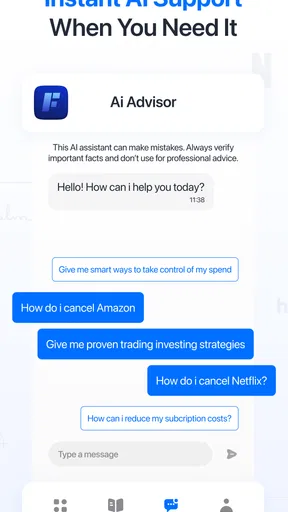
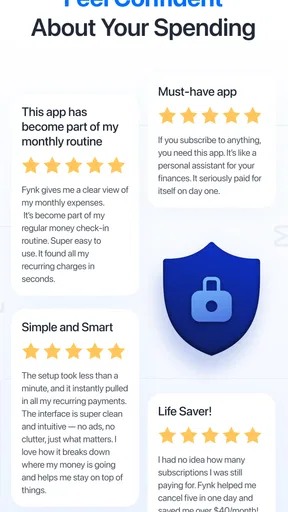
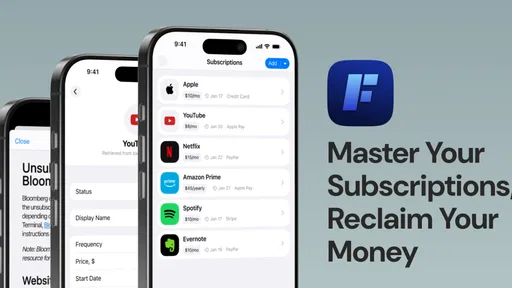
 Analysis by AppCompare
If you’re anything like me, you’ve probably found yourself buried under a pile of subscription services. From streaming platforms to monthly fitness apps, it seems like everything wants a piece of my paycheck. That’s where Feenko: Subscription Manager comes in. This handy little app aims to keep track of subscriptions and help you spot expenses you may want to cut. But a money-related app deserves more than a quick look at its convenience: I also want to know what choices it gives me and what I’m comfortable sharing.
Trust starts with what you choose to connect
Feenko is a free finance app from GotYourBack Technologies LTD, with optional in-app purchases. It has a 4.2 average from 745 ratings, and more than 10K installs. Those figures offer a little context about its reach, but they don’t answer the questions I’d ask before putting financial routines into an app: what information am I choosing to provide, and can I use the service without connecting sensitive accounts?
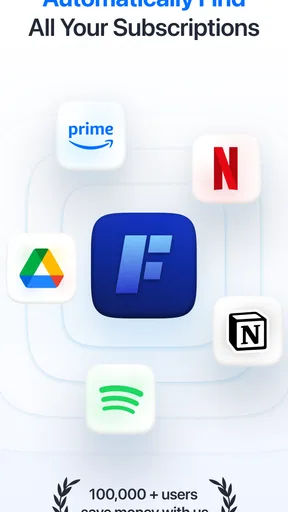
The published experience describes the option to connect a bank account or email to help identify subscriptions, while also saying users can opt out. That choice matters. Linking an account may reduce the work of entering services yourself, but it also means making a deliberate decision about sharing access to personal information. I would weigh the convenience against my comfort level rather than treating automatic tracking as a requirement.
Start with the level of access you’re comfortable with
Installing the app was smooth in my experience, and its interface felt approachable rather than built only for finance enthusiasts. Feenko asks users to enter subscriptions and can suggest services they might have overlooked. I’d treat those suggestions as prompts to check, not as proof that a charge is active or that every subscription has been found.
If I were testing it cautiously, I’d begin by entering a few subscriptions manually and see whether the overview is useful before deciding whether to connect an account. That approach takes longer at first, but it lets me judge the app’s basic value without immediately making a broader data-sharing choice. Someone who prefers convenience may decide the opposite; the useful point is that the choice should be intentional.
The First Impressions
Installing the Feenko: Subscription Manager was as smooth as butter. The interface is sleek and intuitive, making it easy to navigate even for those who aren’t tech-savvy. Right from the start, the app asked me to input my subscriptions, and it even suggested a few I might have forgotten about. It’s like having a personal assistant who knows your habits better than you do!
What stood out was the option to connect the app directly to your bank accounts or email to automatically track subscriptions. While it might sound a bit intrusive, it’s actually quite handy. Of course, you can opt out if you’re not comfortable sharing that info.
Worth Reading Before You Choose

EA SPORTS FC Mobile 26 Is a Bigger Football Game, but It Takes Time

Flipboard Shows What News Apps Must Do Beyond the Feed

Switching to Android Auto Means Rethinking Your Driving Routine

Google Calendar Makes a Crowded Week Easier to Manage

Ludo King Makes the Most of the Minutes Between Plans

Baby Panda World Brings Quick Play to Modern Phones, but Its Game Library Feels Busy
Features That Make a Difference
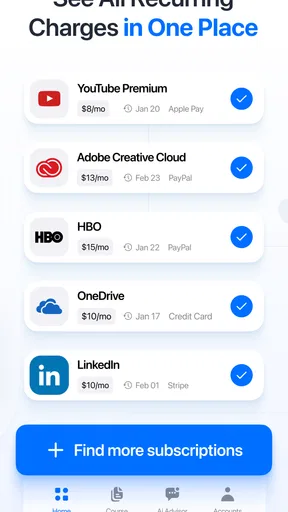
Now, let’s talk features. Feenko isn’t just about listing your subscriptions. It provides a detailed breakdown of your monthly and yearly expenses on various services. You get to see everything at a glance. There’s even a notification system that alerts you a few days before a subscription is due. Say goodbye to those unexpected charges!
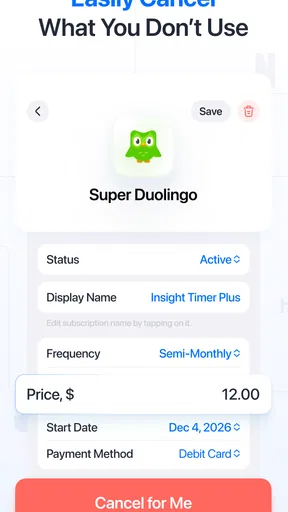
Another feature I found incredibly useful is the cancellation reminders. If you’re on a free trial, Feenko will remind you to cancel before you’re charged. This feature alone can save you quite a bit of money. Plus, for those who need a little extra help, Feenko offers suggestions on cheaper alternatives to the services you're already using.
Making the overview useful in everyday life
The real value of a subscription list is not simply seeing a total; it’s being able to act on it. I’d use the monthly and yearly breakdown to separate recurring commitments from one-off spending, then check the individual entries against my bank statement or email receipts before making a cancellation decision. That cross-check is especially helpful when a charge has an unfamiliar billing name or when a service bills annually rather than monthly.
A practical routine would be to review the list when a free trial begins, note the renewal date, and keep the cancellation reminder as a backup rather than the only safeguard. For services I share with family or use seasonally, I’d also consider whether the charge still earns its place before cancelling. A reminder can draw attention to a deadline, but the final decision still depends on how I use the service and whether anyone else relies on it.
Feenko’s suggestions for cheaper alternatives can be a useful starting point when a bill feels high, but I wouldn’t switch based on price alone. I’d compare the features I actually use, the billing interval, and whether moving would disrupt a shared plan or saved preferences. The app can help surface the question; it shouldn’t make the decision for me.
Real-Life Impact
Using Feenko has been an eye-opener. I had no idea I was spending so much on streaming services I barely use. With all my subscriptions neatly organized, I could finally make informed decisions about what to keep and what to let go. The app even helped me negotiate a better deal with one of my service providers using the detailed usage reports it generated.
Moreover, Feenko’s budgeting tool is a game changer. It helps set limits on your subscription spending, ensuring you don’t go overboard. You can also create categories for your subscriptions, which is handy if you want to separate work-related expenses from personal ones.
A realistic review habit, not a one-time cleanup
Imagine checking your finances after a busy month and noticing several entertainment charges, plus a trial you started while comparing services. I’d use Feenko to put those commitments in one place, check which ones are still useful, and review the upcoming reminders before the next billing dates. The budget limit could make the combined cost easier to notice, while categories could help keep personal subscriptions distinct from work expenses that need separate tracking.
For a freelancer or anyone who pays for tools personally and later sorts out work spending, those categories may be more valuable than a simple list. They can make a review less haphazard: look at personal services together, then assess work-related ones separately. That doesn’t replace bookkeeping, but it can make recurring commitments easier to spot before they become part of an unnoticed monthly routine.
I’d also make a habit of checking whether a subscription is billed monthly or yearly before comparing its cost with the budget. A yearly renewal can look small when considered as a monthly equivalent, yet it still creates a larger charge at a particular time. Seeing both monthly and yearly expense views gives me a reason to plan for that difference rather than judging a service by one number alone.
Where it fits—and where another approach may be better
Compared with a spreadsheet or a note on my phone, Feenko offers a more purpose-built view: recurring costs are organized, reminders can flag renewals, and a budget limit can add a boundary. A spreadsheet may still suit someone who wants complete control over columns, custom calculations, and a record they can manage independently. A bank app can be more direct for reviewing transactions, but it may not present upcoming trials or subscription decisions in the same way.
For someone with only one or two predictable subscriptions, a calendar reminder and a quick statement check may be enough. Feenko becomes more compelling when several services renew at different times, or when household, personal, and work costs need to be thought about separately. It is less suited to a person who expects every niche service to be recognized automatically, since regional or less common subscriptions can be harder for the app to identify.
There is also a meaningful difference between tracking and control. An organizer can help me notice a payment and decide what to do, but I should not assume that a reminder itself cancels a subscription or changes the provider’s billing settings. I would follow the service’s own cancellation process and verify the result there. That small extra step avoids mistaking a helpful prompt for a completed account action.
What to keep in mind before relying on reminders
Subscription dates can be easy to misread when a trial converts to a paid plan, a provider changes its billing schedule, or a service is paid through another account. I’d use Feenko’s alerts as a nudge to check the relevant provider and payment details, not as a substitute for confirming the exact terms. Keeping the original confirmation email or receipt can make that check much easier.
There’s a similar limitation with expense totals: they are most useful when the underlying list is accurate. If a service is missing or entered with the wrong amount or frequency, the overall picture can mislead. A short review after adding subscriptions—and another after cancelling or changing a plan—helps keep the overview aligned with reality. That maintenance is a trade-off: the app can reduce the mental load, but it cannot remove every bit of user input.
Feenko is rated for Everyone and is listed for devices running Android 7.0 or later. Its current version is 1.5.39, and it was released on September 23, 2025. I’d still check that my device is compatible before installing, and I’d look at the purchase screen carefully if I encounter paid options: the app is free to download, while in-app purchases range from $0.99 to $9.99 per item.
What Could Be Improved?
While Feenko does a stellar job overall, there are a couple of areas that could use some polish. For instance, the app sometimes struggles with recognizing niche or regional subscriptions. It’s not a dealbreaker, but it’s worth mentioning if you’re someone who subscribes to less mainstream services.
Also, the app’s reliance on bank integration might be a turn-off for privacy-conscious users. While Feenko assures users of data security, there’s always that underlying hesitation about sharing financial information.
Who should take a closer look
I can see Feenko working well for people who want a dedicated place to review several recurring services, particularly if they value reminders and a spending overview more than building a tracking system from scratch. It may also suit someone who has tried to manage subscriptions through memory alone and wants a regular prompt to check upcoming charges.
I’d be more cautious if I were unwilling to connect financial or email accounts and also reluctant to enter subscriptions manually. In that case, a basic calendar or a spreadsheet may feel more comfortable, even if it asks for more upkeep. And if my main need were detailed household accounting or comprehensive transaction management, I’d choose a broader budgeting tool rather than expect a subscription manager to cover every part of my finances.
Final Thoughts
Overall, Feenko is a useful option for anyone looking to take control of subscription clutter. It is approachable, and its combination of expense views, reminders, categories, and budget limits gives me practical ways to review recurring costs. I would not call any subscription tracker a substitute for checking provider accounts or payment records, though; its best role is helping me notice and organize decisions I still need to make.
If you’re drowning in subscriptions and want a clearer way to review them, I’d consider giving Feenko a try, starting with the information you’re comfortable entering. Its strongest case is for people who will use the overview and reminders as part of a regular check-in. If you prefer to keep sensitive accounts unconnected, want complete manual control, or need a wider personal-finance system, another approach may fit better. For me, the sensible verdict is positive but cautious: useful when its convenience matches your comfort with sharing and maintaining subscription details.
Pros
- User-friendly interface simplifies tracking.
- Supports multiple currencies for global users.
- Customizable alerts for upcoming payments.
- Secure data encryption ensures privacy.
- Integrates seamlessly with bank accounts.
Cons
- Limited integration with less-known banks.
- Occasional sync delays with external data.
- Free version has restricted features.
- No desktop version available yet.
- In-app ads can be distracting at times.
FAQs for Feenko: Subscription Manager
What is Feenko and how does it work?
Feenko is a subscription management app designed to help users track and organize their various subscriptions. By allowing you to input details about each service, Feenko keeps you informed about billing dates and upcoming renewals, preventing any unexpected charges. It provides a dashboard overview of your active subscriptions and sends timely notifications.
Is Feenko available on both Android and iOS?
Yes, Feenko is available for download on both Android and iOS platforms. You can easily find it on the Google Play Store and the Apple App Store. The app offers a consistent user experience across both platforms, ensuring you can manage your subscriptions seamlessly regardless of your device.
Does Feenko require any personal information to function?
Feenko requires some basic information about your subscriptions, such as the service name, billing amount, and renewal date, to function effectively. However, it does not require sensitive personal information like credit card numbers. The app is designed with privacy in mind, ensuring your data is secure.
Are there any costs associated with using Feenko?
Feenko offers a free version with essential features for managing subscriptions. However, there is also a premium version that includes advanced features, such as detailed analytics and unlimited subscription entries. The premium version is available through a monthly or yearly subscription plan.
How does Feenko notify users about upcoming renewals?
Feenko sends users notifications about upcoming renewals through push notifications and email alerts. You can customize the notification settings within the app to receive reminders a certain number of days before the renewal date. This helps you avoid unexpected charges and manage your budget more effectively.


